
I had thirty-odd videos. Twenty-two one-minute explainers, one for each tool, and ten short silent films for the free checks. I had eighty-five training articles and a handful of resources. And I had a plan for posting them that lived in folders, filenames and my head.
Finding the right file had become the job. So I built a studio: a library where every video has a human name, a calendar to plan posts across X and LinkedIn, and a board that moves each post from planned to drafted to approved to posted. It took a day. The next day I moved it into the CRM.
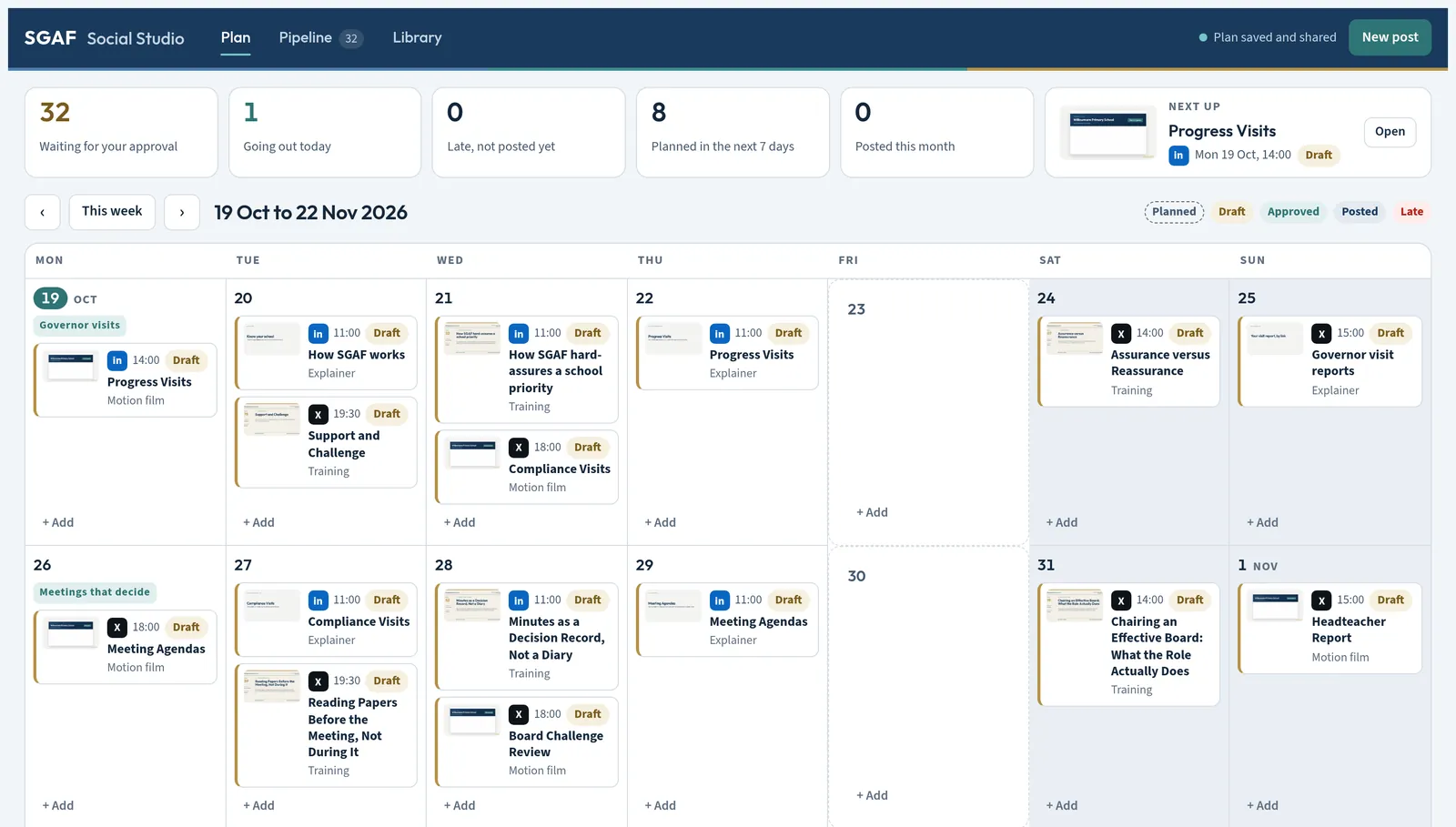 (opens the full-size screenshot in a new tab)
That second step is the whole point of this post.
What a scheduler knows
A scheduling tool knows when to post and which account to post from. That is genuinely useful, and the good ones are polished. I did not want to pay for another seat of one, but that was not the reason I built my own.
The reason is what a scheduler does not know.
It does not know that I retired a product name last week, and that two old promos still carry it. It does not know that I have a hard rule against counting claims about the product, or that a particular figure is no longer true. It does not know that schools are closed between the twenty-first of December and the third of January, or what a governing board is worrying about in the second week of March.
My CRM knows all of that. The catalogue of every explainer, film, article and resource is there, generated by one command so new pages join the plan without anyone remembering to add them. The product calendar is there. So the posting plan went there too.
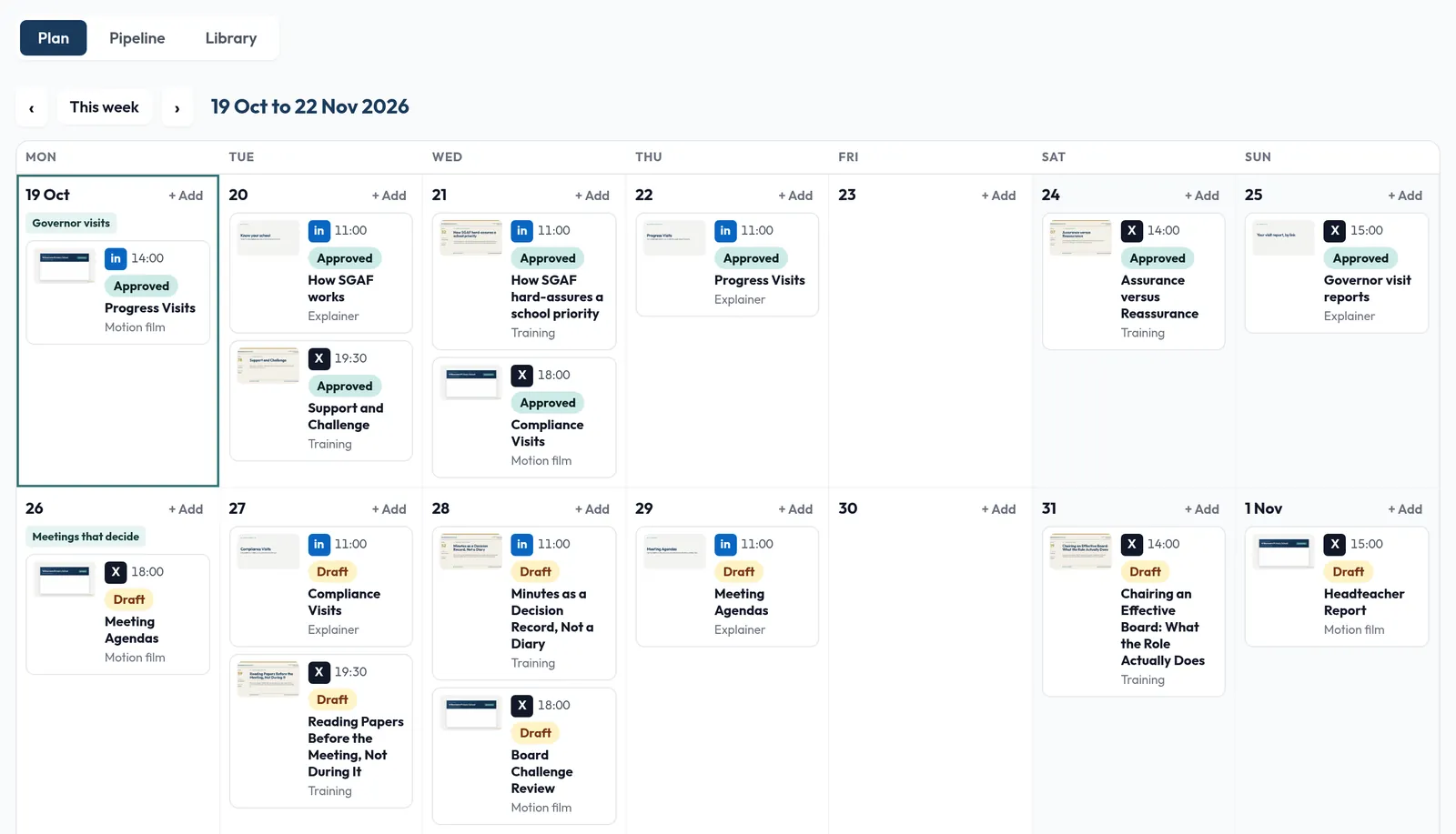 (opens the full-size screenshot in a new tab)
The long plan
With articles mixed in alongside the videos, thirty-two postable films became more than a hundred and twenty items. Enough for a long plan without repeating anything on either platform.
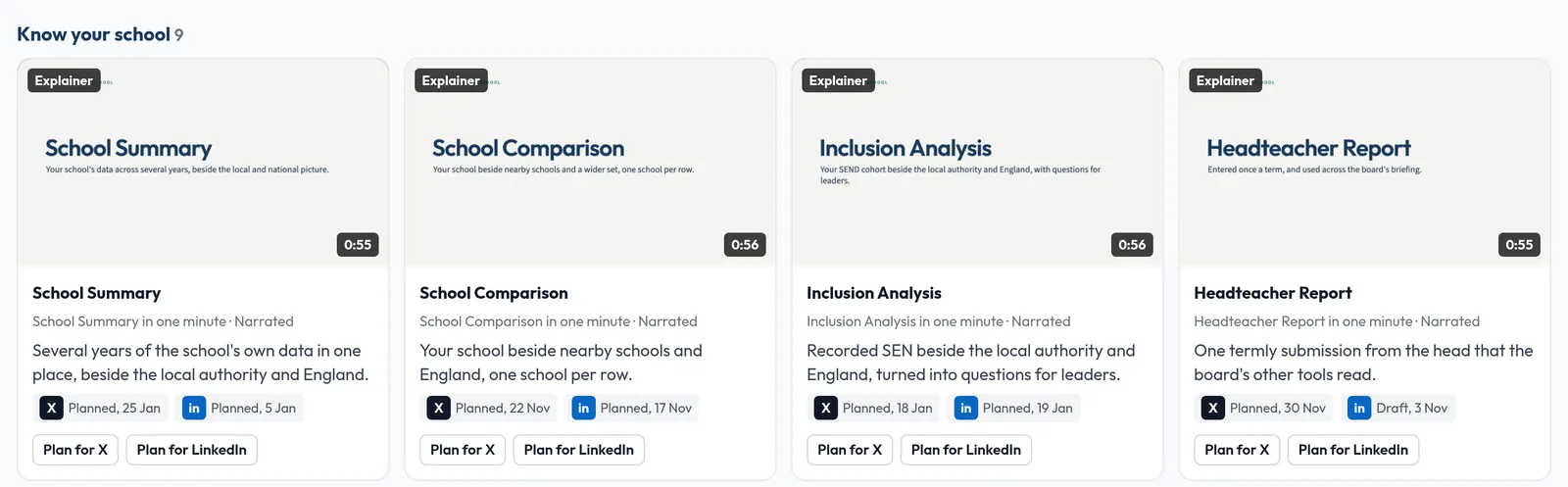 (opens the full-size screenshot in a new tab)
The current plan runs from the nineteenth of October to the twenty-sixth of March. A hundred and sixty-eight posts. Each week has a theme taken from the school calendar, and pairs a tool film with the training articles that match it. Resources sit in the week that fits them. Nothing goes out over Christmas.
Posting times started from published research on when education audiences are active: LinkedIn in the working day, mid-week; X in the evenings and at weekends. Those are a starting point to check against my own analytics, not a belief.
Only the first few weeks are fully drafted. The rest are planned slots with the content, the theme and the angle, and each gets drafted on the Wednesday for the week after next. That is deliberate. Product facts change, and a post drafted four months early is a post that will be wrong by the time it goes out.
The gates
Every draft passes the brand gate before it can be approved. No em dashes, no banned figures, no retired names. The two old promos are in the library, visible, and marked do not post. Hiding them would mean forgetting why.
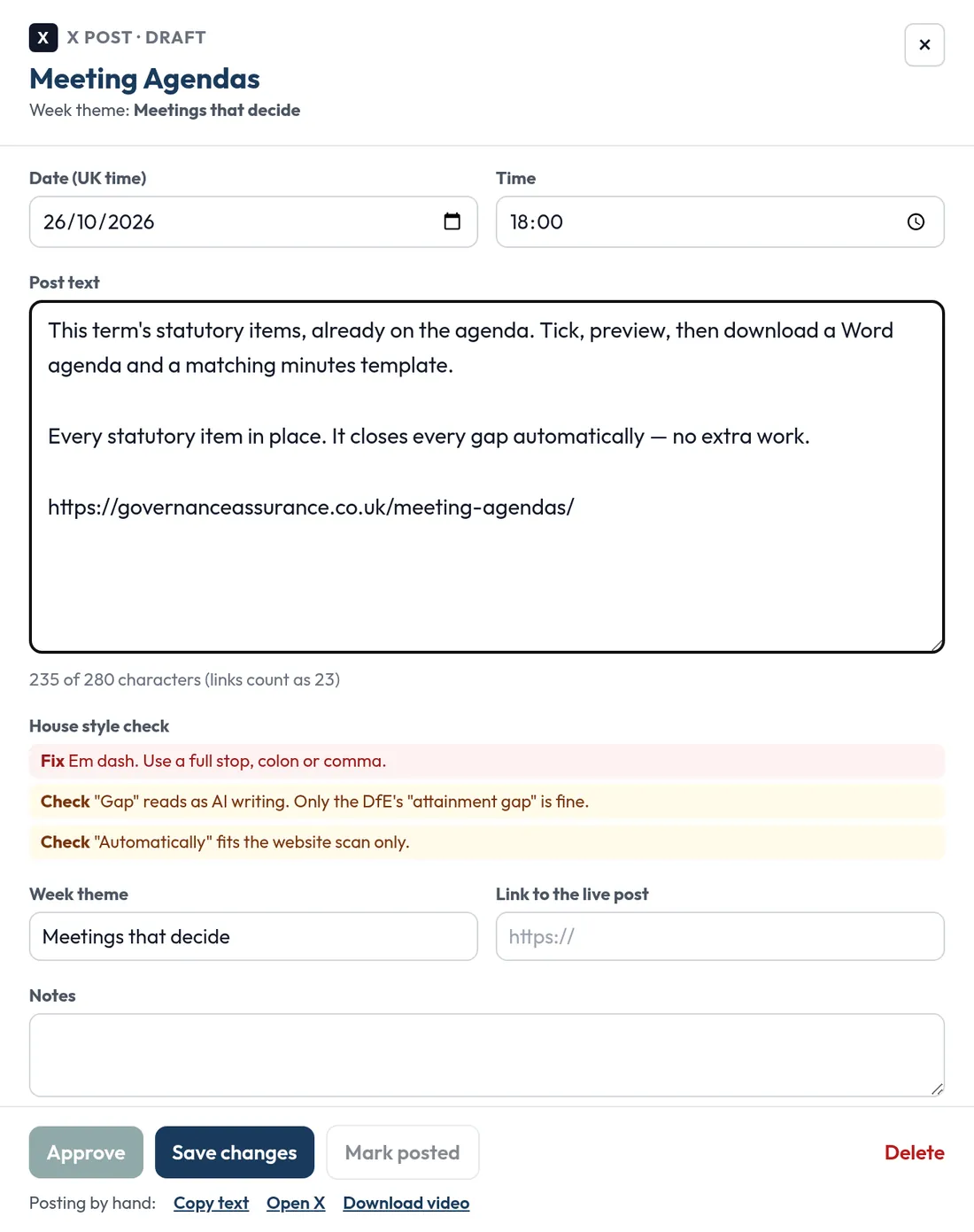 (opens the full-size screenshot in a new tab)
Approval is a human act. When I approve a post in the CRM, the exact text is fingerprinted. The agent that posts can only post text that matches an approved fingerprint, and it reports the live link back when it has done so. It cannot approve, edit or add a post. Every claim it makes on a post is logged.
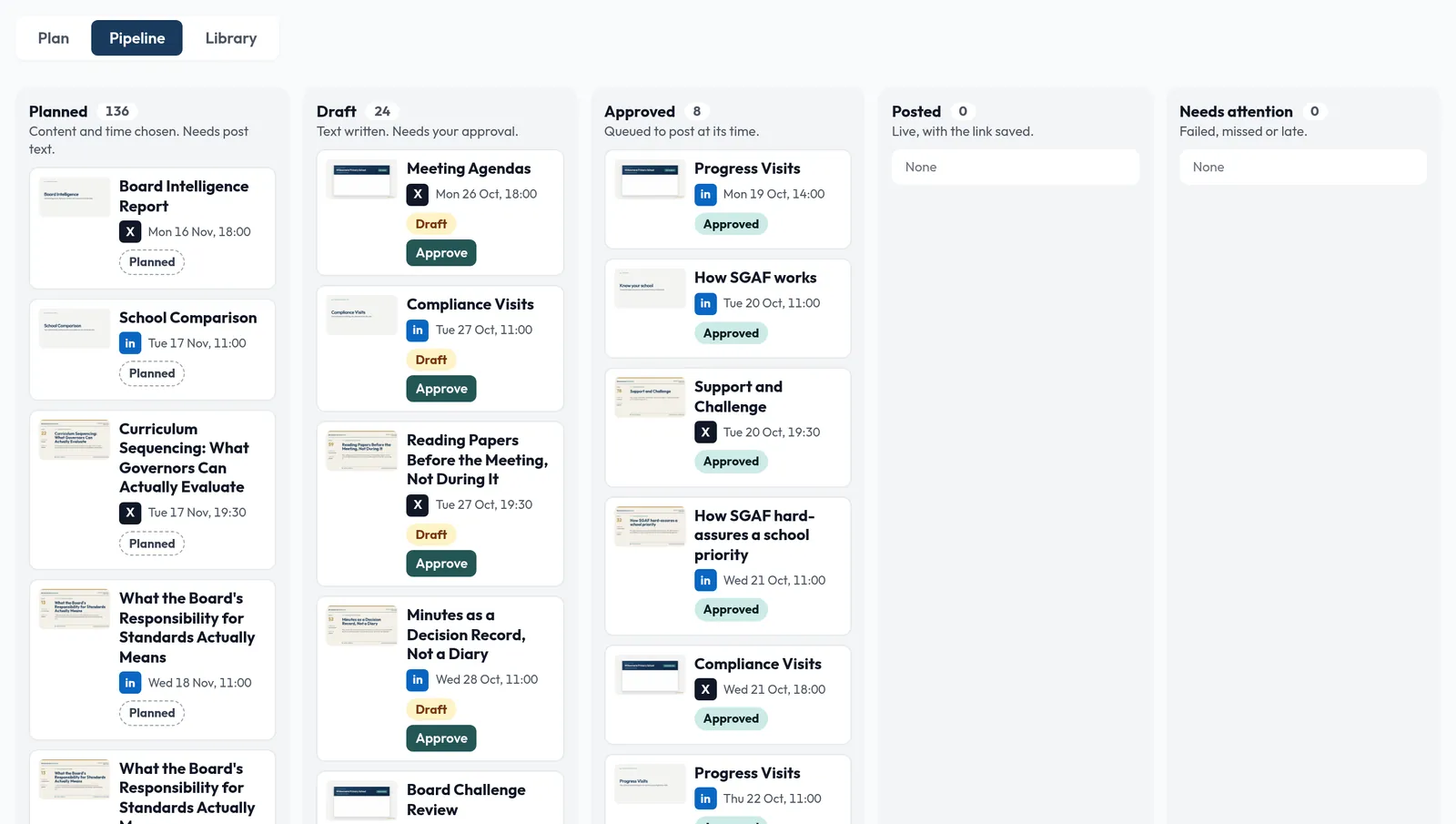 (opens the full-size screenshot in a new tab)
The posting agent shipped switched off. It runs a dry-run week first, where it does everything except press post, and I check what it would have sent. Then a watched first live week. Then, and only then, live, with a daily cap and minimum spacing between posts.
The thing that went wrong
I had assumed the agent would post through the platforms' official connections. When I checked, those connections could not do what the plan needed.
The fallback was less elegant, under the same claim and report rules. Same gates. The dry-run week matters more, not less, so it stayed.
Why "connected to the CRM" is not a feature, it is the product
Here is the pattern, and it applies well beyond social posting.
Most tools in a small business are islands. The scheduler, the help centre, the invoicing, the analytics. Each has its own idea of what is true. The founder is the integration layer, carrying facts between them in their head, and the founder is the component that fails first.
Putting the posting plan inside the CRM means the plan and the truth share a database. When a product name changes, the catalogue changes, and the gate catches the posts that still use it. When feedback says a tool confused people, the plan knows, and the next post about that tool is different.
Content that matters is not content with better copy. It is content that knows what the business knows.
If you want to do this
You do not need to build a studio. Start with one question: where does the truth about your product live? If the answer is "several places", that is the problem to solve before you buy a scheduler.
Then put the plan next to the truth, put a gate between the plan and the public, and keep the approval human.
- content
- automation
- crm